
WP Schema Pro Lifetime: Is the One-Time Licence Worth It?
Decide whether Schema Pro's one-time licence fits your WordPress publishing workflow, with a practical mapping example and clear search-result limits.

WP Schema Pro lifetime is worth considering when you manage structured data across a growing WordPress site and expect to keep using the same tool. The developer offers both annual and one-time licences. The more useful question is whether Schema Pro solves a recurring publishing task that your current SEO plugin leaves unfinished.
Its strength is repeatable JSON-LD: choose a content type, decide which pages it covers, and connect properties to the information already stored in WordPress. That can turn a collection of manually maintained descriptions into a manageable publishing workflow. It cannot buy a search appearance or repair information missing from the page.
This guide compares the purchase models, explains the field-mapping workflow, and shows what to check before making it part of your site. The assessment draws on the developer's documentation and Google's guidance rather than a claimed installation benchmark.
What the official lifetime licence includes
The official Schema Pro pricing page lists unlimited website use for both plans. Annual access includes one year of updates and support; Lifetime is described as a single payment with lifetime updates and support. The page also permits use on client websites.
That distinction matters for an agency maintaining several installations. Lifetime changes the payment arrangement for the developer's product and services. It does not remove the work of reviewing content, maintaining WordPress, or checking how a schema rule behaves when the site changes.
Treat the offer as a commitment to a specific tool. If your project is temporary, or your present SEO suite already produces everything needed, an annual licence or no additional purchase can be more sensible. A one-time payment saves little if you later abandon the workflow.
The developer says an expired annual licence does not stop the installed plugin from working, but access to its updates and support ends. Continued operation is different from an actively maintained installation. For a client website, decide who owns the account, who handles support, and who will approve future changes before choosing a plan.
Compare the payment model before chasing a Schema Pro discount
The pricing page displays introductory annual and lifetime amounts alongside their normal prices, and explicitly says renewals use the full price. A Schema Pro discount therefore needs to be assessed with the renewal arrangement, not just the amount on the first purchase button. Confirm the applicable currency, tax and total at checkout.
| Purchase question | Annual licence | Official lifetime licence |
|---|---|---|
| Payment pattern | Recurring subscription | One-time purchase |
| Developer updates and support | Included for the paid term | Advertised as lifetime |
| Website allowance | Unlimited, including client sites | Unlimited, including client sites |
| Best planning question | Will the need continue after this term? | Will this remain the right tool for the sites? |
For an existing annual customer, the licence upgrade guidance explains how an active licence can be upgraded by paying the difference. Expired annual licences do not qualify for that upgrade route. Check your account before buying a second licence unnecessarily.
Compare the same service on both sides of any cost calculation. A developer licence and a third-party GPL download are separate offers. A seller's download access does not automatically include the original developer's account, direct support or lifetime update service. Our GPL updates and support guide explains those distinctions in detail.
When a separate schema markup WordPress plugin earns its place
A small editorial site may already have suitable Article and organization information from its SEO plugin. Installing another tool merely because it supports many schema types can add configuration without solving a real gap. First inspect a representative page and identify what you actually need to describe.
Schema Pro becomes more useful when content follows repeatable patterns: a service directory, a recipe collection, an event section, or a publication with structured custom fields. The developer's product overview describes choosing a schema type, setting its target pages and mapping content into its properties. The value is applying an intentional rule to the right records.
For example, imagine a maintenance company with separate pages for different services. Copying the same business description onto every page would not explain the individual service. A mapped rule can use the current page title and description while keeping the provider consistent. The information still needs to describe what visitors can read on that page.
If you also need redirects, sitemaps or editorial SEO checks, compare your broader requirements first. Our Rank Math versus Yoast comparison covers that wider choice. Schema Pro's purchase case is focused structured-data control rather than replacing an entire SEO suite.
Build one useful mapping before expanding across the site
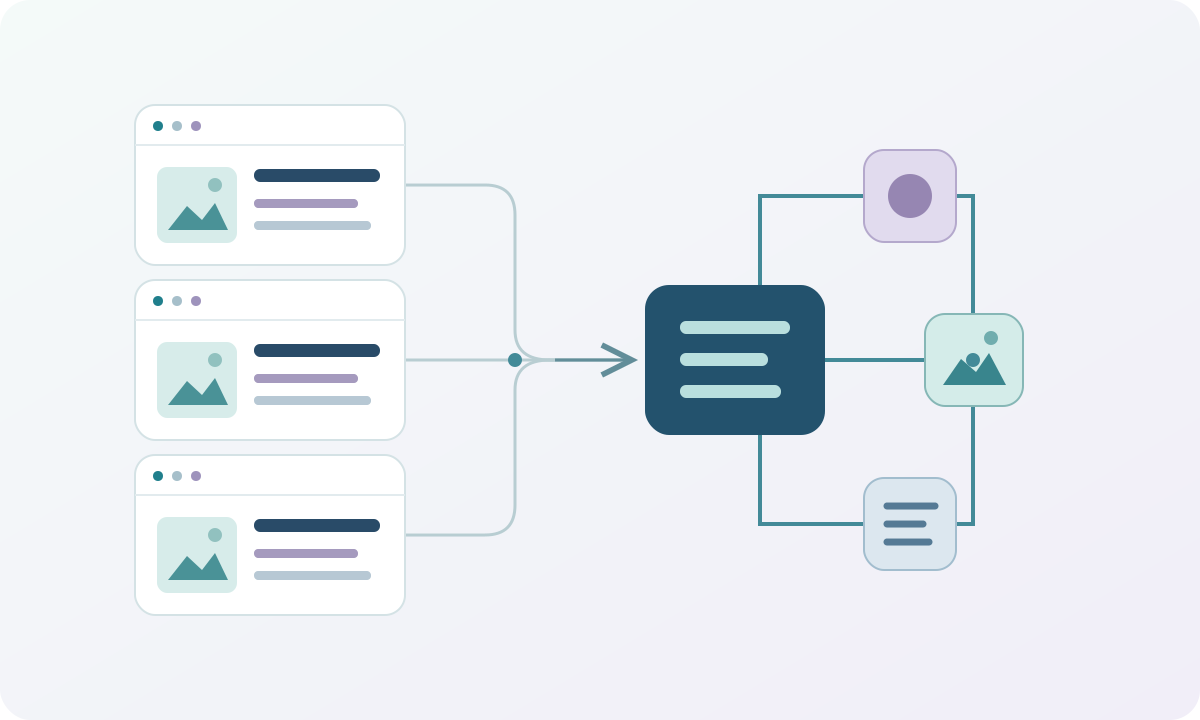
Start with one representative content type on a staging copy. Define what the page represents and choose the closest appropriate schema type. A service detail page, a business homepage and an editorial article describe different things; they should not inherit an identical generic description simply because they share a domain.
Schema Pro's setup workflow separates the target locations from the fields used to populate the markup. Use that separation deliberately. A display rule answers where a definition appears; field mapping answers where each value comes from. A correct value on the wrong set of pages is still a publishing error.
Here is a practical planning table for the hypothetical service directory. These are content decisions to make before configuration, not an assertion that every property is required for every search feature.
| Information | Appropriate source | Editorial check |
|---|---|---|
| Individual service name | Current page title or dedicated field | Describes this service rather than the whole company |
| Service description | Page-specific text field | Matches the visible offer and scope |
| Provider identity | Maintained business record | Uses the same real business details consistently |
| Service area | Supported custom field | Reflects actual coverage shown to visitors |
The field-mapping documentation explains the available source groups. Map information that varies by page to a page-specific source. Reserve fixed values for details that really are shared. Before rolling out the rule, inspect a second page with different content and a page with an optional field empty. Those examples expose copied defaults and missing values more effectively than checking the same complete record repeatedly.
Document the decision in language the next editor can use: which field they must fill, which pages the rule covers, and who changes the shared business information. Automation is most valuable when publishing another valid record requires completing familiar fields rather than editing code.
Coordinate Schema Pro with existing JSON-LD
Before enabling broad rules, establish which component owns each entity description. Your theme, SEO plugin, ecommerce extension and custom code may already produce structured data. Several JSON-LD blocks are not inherently wrong; conflicting descriptions of the same thing are the practical concern.
For a store, inspect the existing product information before adding another product definition. For a blog, compare the author, organization and article references emitted by the current setup. Keep accurate output that already works, and configure the additional plugin around a clearly identified need.
Schema Pro documents compatibility with other SEO plugins. Compatibility is a starting point for configuration, not proof that every possible combination of settings is coherent. Test the actual rendered page, including any template-specific code your developer has added.
Also check translated pages individually. The visible description, canonical URL and mapped values should correspond to that language's page. Reusing an English fixed description on every translation defeats the purpose of maintaining localized content. Keep real business identifiers consistent while adapting the reader-facing information that genuinely changes by language.
What a rich snippets plugin can and cannot deliver
Google explains that structured data helps describe page content. Supporting a schema type inside a plugin does not mean Google currently offers a special search treatment for that type. The distinction is essential when evaluating a rich snippets plugin.
For example, Google's documentation update log records the removal of FAQ rich results. Buying a plugin because it can generate FAQ markup does not restore that search feature. Choose a format for the information you maintain, and check the current search-feature requirements separately.
The same discipline applies to ratings. Do not invent review totals or add stars simply to make a result look attractive. If a page contains genuine reviews, follow the requirements for the relevant supported feature and ensure the visible information supports the markup. The plugin cannot supply the underlying evidence.
Google's structured-data policies make clear that correctly marked-up pages are not guaranteed a rich result. Judge the purchase initially by the quality and maintainability of the information you publish. Traffic and click-through changes require your own measurement, suitable comparison periods and consideration of other site changes.
Validate the output, then repeat the check after changes
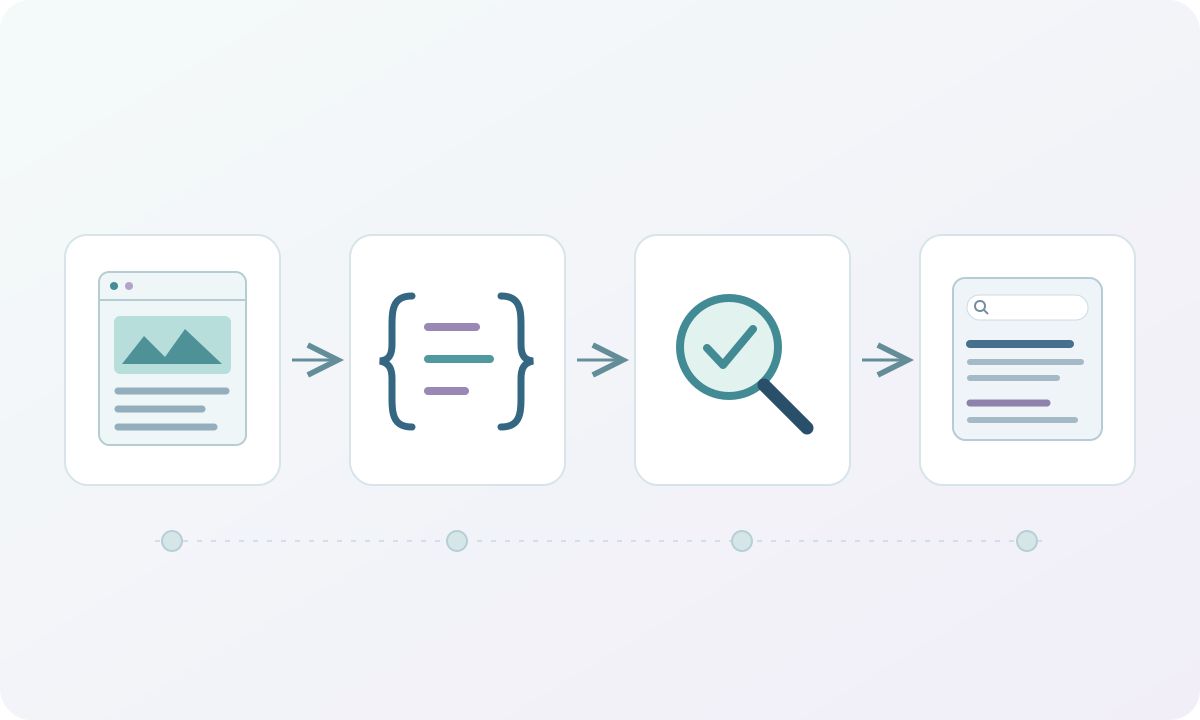
Treat the first rule as a small release. Open an actual target URL and inspect the rendered JSON-LD. Confirm the page identity, visible name, descriptions and any linked entities before reviewing a testing tool's result. Clear caches when necessary so you are inspecting the current output.
Use Google's Rich Results Test to examine eligibility for its supported features. Use the Schema.org validator for a broader vocabulary check. The tools answer different questions; passing one does not prove that the content is accurate or that Google will display it differently.
Keep a short acceptance list:
- The intended page receives the rule, and an excluded page does not.
- Values change correctly between two different records of the same type.
- Empty optional fields do not create misleading placeholder information.
- Existing entities remain consistent across the theme and plugins.
- A localized page uses the correct URL and page-specific language.
After publishing, use the available Search Console reports to investigate supported enhancements and indexing. Recheck representative URLs after changing templates, custom fields or SEO plugins. A lifetime purchase does not make a configuration permanent: the content model and search requirements can both change.
Choose the licence around the publishing work
Choose the official lifetime option when you have an enduring need for Schema Pro's mapping and targeting controls, expect to maintain the installations, and value direct developer services. Annual access is easier to justify for a shorter project or a workflow you have not yet committed to.
Keep your existing setup when it already describes the content accurately and gives editors the controls they need. Choose additional automation when you can name the missing task and demonstrate it on a representative page. That produces a better purchase decision than counting schema types or expecting a promised search decoration.
Before paying, confirm the actual offer and account terms, map one meaningful record, and define who will maintain it. The strongest reason to buy WP Schema Pro lifetime is a publishing process you intend to keep using.