Wordfence Premium Review: Firewall, Scanner and Value
Review Wordfence Premium firewall, malware scanning, login security, real-time rules, pricing and the differences from the free version.

What this guide covers
Wordfence combines a web application firewall, malware scanner and login protection inside WordPress. Premium mainly changes how quickly new firewall rules and threat intelligence reach your site, so the decision is about risk and response time.
Wordfence is the most popular security plugin for WordPress. It combines a web application firewall with a malware scanner and login protection to keep hackers and bots out of your site.
Premium adds country blocking, IP blocklists and advanced scanning. The catch is the price: the official licence is billed yearly per site.
wordfence premium
$4.99
$149/year
Features that matter in practice
Web application firewall
Blocks malicious traffic and known exploits before they reach WordPress.
Malware scanner
Checks core files, themes and plugins for malware, backdoors and bad URLs.
Login security
Two-factor authentication, reCAPTCHA and brute-force protection.
Country & IP blocking
Block attacks from specific countries and known malicious IP addresses.
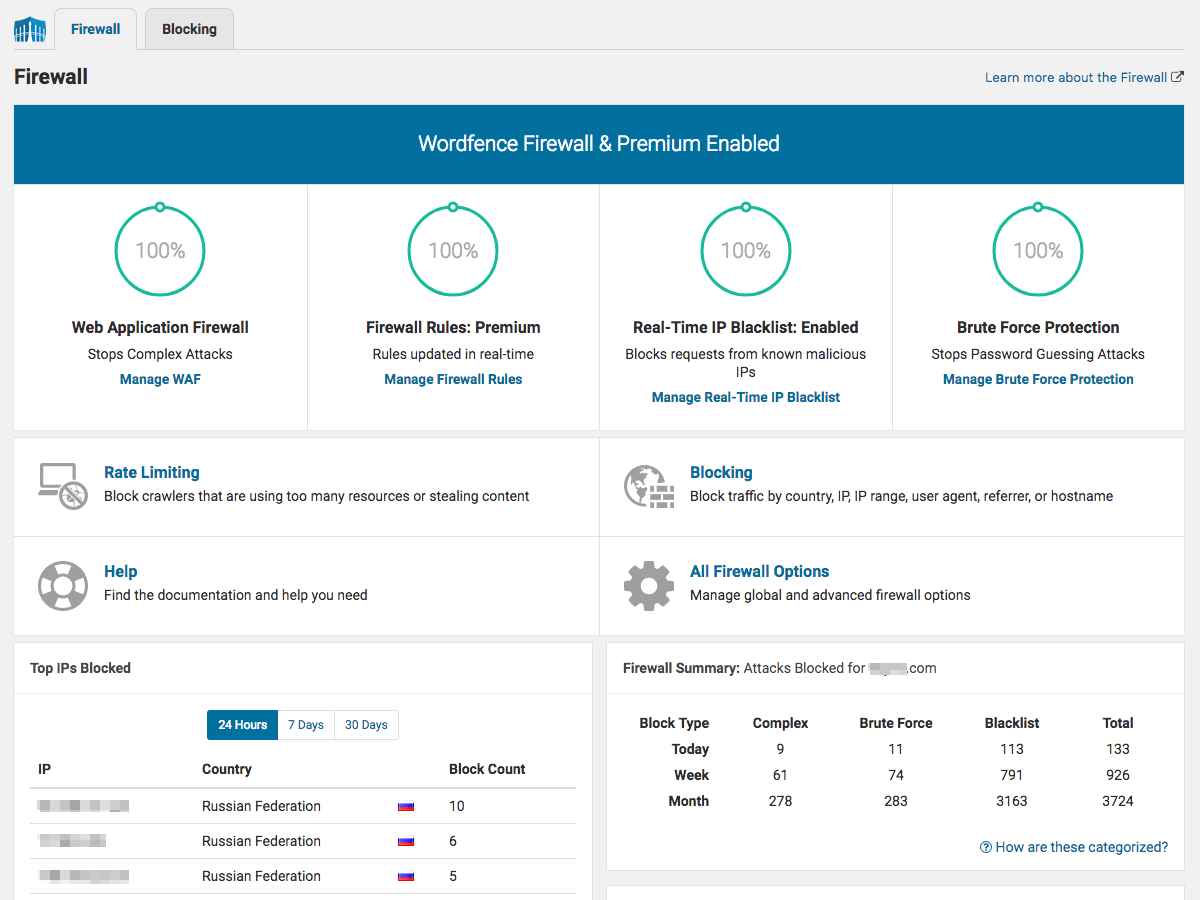
Why should you choose Wordfence Premium GPL?
Premium makes most sense for business, membership and ecommerce sites where faster threat updates matter. Free remains useful for lower-risk sites, provided you also maintain backups, updates and strong account security.
Rankings and speed are never guaranteed; results depend on your site, content, hosting and competition.
Before you install Wordfence Premium
- Create a full backup or staging copy before installation.
- Check the current WordPress and PHP requirements.
- Install only files from a source you trust.
- Test the main pages, forms and checkout after activation.
- Plan how you will receive and apply future updates.
The bottom line
Premium makes most sense for business, membership and ecommerce sites where faster threat updates matter. Free remains useful for lower-risk sites, provided you also maintain backups, updates and strong account security.