Slider Revolution Review: Features, Performance and Price
A clear Slider Revolution review covering the visual editor, templates, animation, responsive controls, performance, pricing and GPL access.
What this guide covers
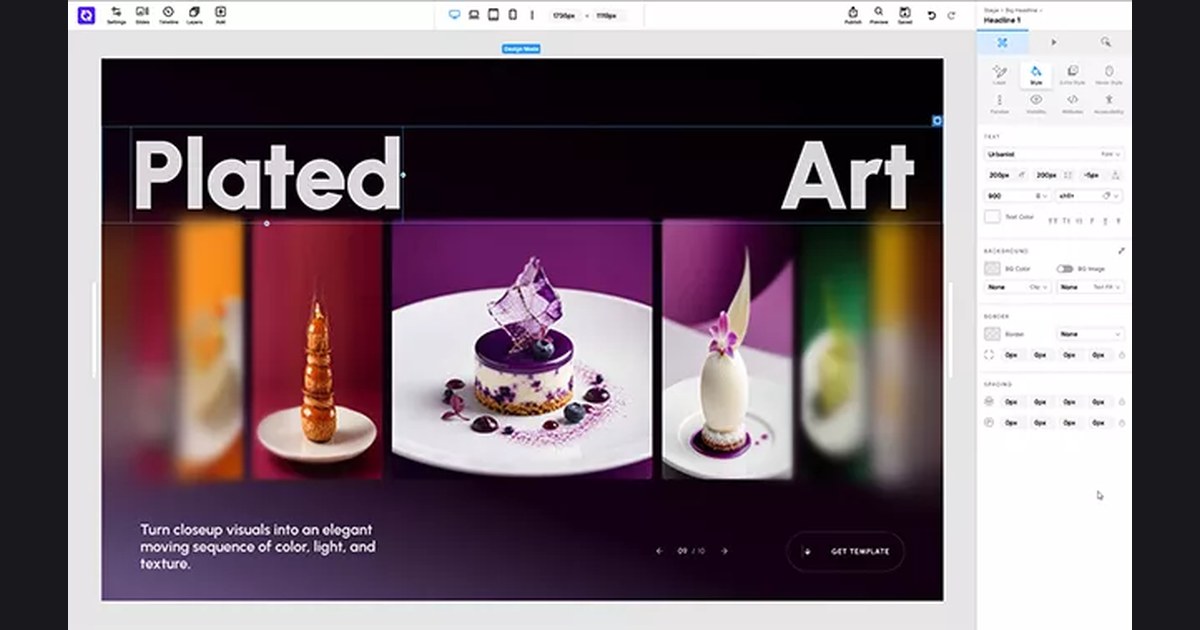
Slider Revolution is more than a basic carousel: it is a visual editor for animated hero sections, sliders and interactive scenes. That creative freedom is powerful, but it also makes careful image sizing, responsive testing and restrained animation important.
Slider Revolution is the best-known premium slider plugin for WordPress. It lets you create animated sliders, carousels, hero sections and full-screen scenes with a visual timeline editor.
Designers use it to make sites stand out without coding animations. The catch is the price: the official licence is billed per site.
slider revolution
$4.99
$35–$89/year
Features that matter in practice
Visual editor & timeline
Build layered animations with a drag-and-drop editor and keyframe timeline.
Sliders, carousels & heroes
Create any visual module — from simple sliders to full-screen hero scenes.
Special effects
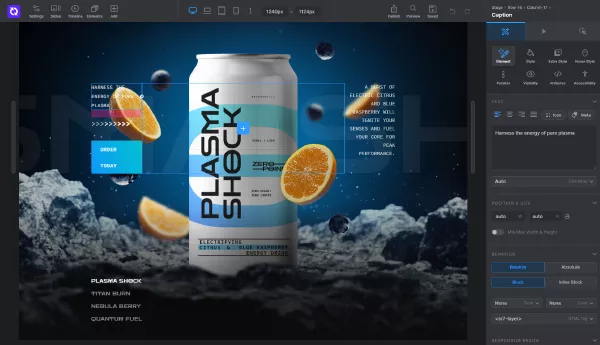
Parallax, particles, Ken Burns, typewriter and before/after effects.
Responsive controls
Fine-tune every layer for desktop, tablet and mobile.
Why should you choose Slider Revolution GPL?
Use Slider Revolution when motion and art direction are central to the page. For a simple testimonial or product carousel, a lighter slider may be easier to maintain and faster to load.
Rankings and speed are never guaranteed; results depend on your site, content, hosting and competition.
Before you install Slider Revolution
- Create a full backup or staging copy before installation.
- Check the current WordPress and PHP requirements.
- Install only files from a source you trust.
- Test the main pages, forms and checkout after activation.
- Plan how you will receive and apply future updates.
The bottom line
Use Slider Revolution when motion and art direction are central to the page. For a simple testimonial or product carousel, a lighter slider may be easier to maintain and faster to load.